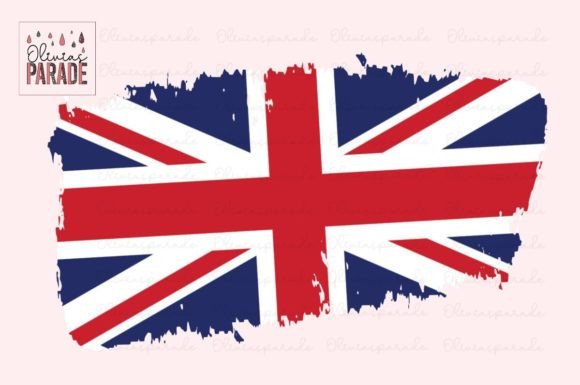
Union Jack Uk Flag Sublimation PNG: What to Know Before You Download and Use
If you are looking for a Union Jack design to print on apparel, mugs, or home decor, a Union Jack Uk Flag Sublimation Png file offers a quick and flexible solution. Because it uses a transparent background and high-resolution pixel data, you can layer it over colored substrates, resize it without losing clarity, and apply it to everything from T-shirts to phone cases. There is a lot of appeal in grabbing a ready-made PNG and getting straight to production. Yet many people who are new to sublimation, print on demand, or direct-to-garment printing end up frustrated because they overlooked a few critical details. This article walks through the most common pitfalls and explains how to avoid them so your projects look professional and hold up to customer expectations.
What Is a Union Jack Sublimation PNG and Why Is It Popular?
A sublimation PNG is a digital image file that can be printed onto special transfer paper and then heat-pressed into polyester-coated surfaces. The Union Jack design, with its bold red, white, and blue cross patterns, is a perennial favorite for patriotic merchandise, British-themed events, and fashion statements. Unlike a font or vector file, a PNG is raster-based, meaning it is made of pixels. This file type works well for print-on-demand platforms that accept image uploads, and it can be used directly in software like Canva, Photoshop, or Printful’s mockup generator.
People are drawn to Union Jack Uk Flag Sublimation Png downloads because they are instant, require no design skills, and can be resold or used on a wide range of products. But not every PNG is created equal. The way you choose and apply the file can make the difference between a crisp, vibrant product and a dull, pixelated disappointment.
1. Ignoring the Resolution Requirement
One of the most frequent errors is downloading a PNG that looks fine on screen but prints poorly. Sublimation requires a minimum of 300 DPI (dots per inch) at the actual print size. A file that is 72 DPI, typical for web graphics, will appear blurry or jagged on a large shirt or a 15-ounce mug.
Example: You find a free Union Jack PNG that is 500 x 500 pixels. On a small coaster that might work, but on an XL hoodie it will look terrible. The image would need to be scaled up, which stretches out the pixels and ruins the sharp edges of the flag.
Better approach: Always check the pixel dimensions before buying or downloading. For a standard T-shirt print (say 12 x 12 inches), you want at least 3600 x 3600 pixels. Most professional sellers list the resolution in the product description. If it says “high resolution” without numbers, ask for clarification or look for a file that specifically says 300 DPI.
2. Assuming a PNG Works for Every Printing Method
Not all printing processes treat a PNG the same way. Sublimation printing uses heat to transfer dye into the fabric or coating, so the file must be printed onto sublimation paper with sublimation ink. A Union Jack Uk Flag Sublimation Png is just the source image—you still need the correct printer, ink, and paper. Some people mistakenly think they can load the PNG into a regular inkjet printer and get sublimation results. You cannot.
Similarly, direct-to-garment (DTG) printers work with RGB PNGs, but they rely on a white underbase for dark fabrics. If your Union Jack design includes a transparent background, the printer may not lay down white ink where needed unless you prepare the file with a white layer. This oversight leads to colors washing out on black shirts.
Better approach: Know your printing method in advance. If you are using sublimation, confirm the PNG is in the correct color space (usually sRGB) and that your workflow includes a heat press. If using DTG on dark garments, add a white underbase manually or choose a PNG that already includes a white border or backing.
3. Overlooking Color Profile Differences
The vibrant red and blue of the Union Jack can shift when printed. Monitors display color in RGB, while most printers use CMYK or a modified CMYK profile. If you buy a Union Jack Uk Flag Sublimation Png that was designed in RGB and you print it without converting, the blues may turn purple and the reds can look orange.
Example: A customer orders a Union Jack hoodie from your store. The PNG perfectly matches the official flag colors on your screen. When the garment arrives, the red is brick-colored and the blue is dull navy. That mismatch can hurt your brand reputation.
Better approach: Ask the seller whether the PNG is optimized for sublimation or for screen printing. Many professional designers provide a color chart or note the profile used. Before printing, soft-proof the image in your design software using your printer’s ICC profile. If you are using a print-on-demand service, upload the PNG and check their mockup generator—most platforms apply their own color correction, but starting with a well-balanced file helps.
4. Not Checking the File’s Licensing Terms
This is an easy but costly mistake. Some “Union Jack Uk Flag Sublimation Png” files are sold with restrictions. You might be allowed to use them on personal items but not for commercial resale. Others require you to purchase an extended license if you plan to print more than a certain number of products. Ignoring these terms can lead to legal notices, account suspension on print-on-demand sites, or having your designs removed.
Better approach: Read the license agreement before you download. Look for phrases like “commercial use,” “unlimited products,” or “no attribution required.” If the product page is vague, message the seller. Reputable shops clearly state what you can and cannot do. Keep a copy of the license file in your project folder for reference.
How These Mistakes Affect Your Results
Each of the errors above affects a different aspect of your final product. Low resolution kills sharpness, wrong color profiles alter the iconic red-white-blue combination, inappropriate file preparation leads to peeling or fading, and licensing issues can shut down your business. Even if only one of these elements is off, the customer’s perception of quality drops. In competitive markets like print on demand, a blurry flag or a washed-out design leads to bad reviews, returns, and lost sales.
Beyond the product itself, time is wasted. You might have to reprint items, redo mockups, or search for a replacement file. For small business owners and freelancers, that inefficiency directly cuts into profit margins.
What to Check Before You Download
- Resolution: Look for at least 300 DPI at the size you intend to print. If the listing says “high resolution” but doesn’t give pixel dimensions, ask.
- File type: Confirm it is a PNG with a transparent or white background, not a JPG that will include a white box around the flag.
- Color space: sRGB is standard for sublimation and DTG. Avoid files saved in CMYK unless you know how to convert them back without loss.
- Commercial use terms: Ensure the license covers the number of products you plan to sell and the platforms you intend to use.
- Customer reviews: See what other creators say about the file’s print quality. Real feedback from other sublimation users is invaluable.
Best Practices for Using the PNG
- Test on a small product first. Print one sample mug or shirt before scaling up production. This helps you catch color shifts or sizing issues early.
- Use a template. Many print-on-demand services provide mockup templates with cut lines and print areas. Align your Union Jack PNG within those guides to avoid cropping important parts of the design.
- Maintain aspect ratio. If you need to resize the PNG, hold the shift key (or equivalent) to keep the flag proportions accurate. Distorting the Union Jack looks unprofessional.
- Save a backup. Keep the original zip file and the unaltered PNG in a dedicated folder. If you edit the file and make a mistake, you can revert to the original.
- Consider multiple sizes. For products like tote bags versus mouse pads, a single PNG may need resizing. Having a larger version (e.g., 6000 px) gives you more flexibility without pixelation.
What About Free vs. Paid Files?
Free Union Jack Uk Flag Sublimation Png files are tempting, but they often come with drawbacks: lower resolution, questionable licensing, or incomplete designs. A paid PNG from a reputable designer usually includes a commercial license, multiple file variants, and customer support. That said, a free file can work perfectly for personal use or a single low-volume run, provided you verify the dpi and color profile. The key is to be intentional: do not assume free equals no cost—fixing a poor print later can cost more than the few dollars you saved.
Final Thoughts Before You Hit “Print”
Whether you are a hobbyist making Union Jack gifts for friends or a small business owner launching a line of British-themed apparel, the quality of your final product starts with the source file. A well-chosen Union Jack Uk Flag Sublimation Png can make your printing process smooth and your results stunning. By avoiding the common mistakes—neglecting resolution, misjudging printing methods, overlooking color profiles, and skipping license checks—you set yourself up for satisfied customers and fewer headaches.
Take a few extra minutes to inspect the file before you download, test your setup before you produce ten units, and keep learning about the specific requirements of your printer or printing partner. With the right approach, that Union Jack design will look crisp, colorful, and professional on every product you create.