Email Signature Design Template That Works Smarter
You have probably spent hours fine-tuning a resume, agonizing over a website color palette, and rewriting your LinkedIn summary three times. But when was the last time you gave serious thought to what sits at the bottom of every email you send? For most people, an email signature is an afterthought—a default "Sent from my iPhone" line or a generic name slapped below a message. That is a missed opportunity, and one that an Email Signature Design Template can fix in minutes rather than weeks.
Think about how many emails you send in a single day. Whether you are pitching a client, following up with a student, collaborating with a team member, or sending a newsletter to subscribers, every message carries your name. The tiny real estate at the bottom of that message is prime digital property. It tells people who you are, how to reach you, and what you stand for. A well-designed signature does not just look clean—it builds credibility, drives engagement, and saves you from typing out contact details manually ever again.
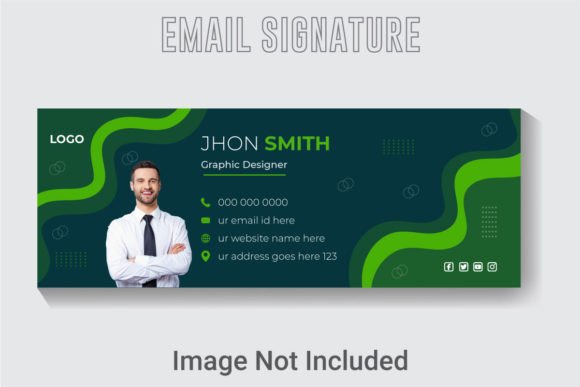
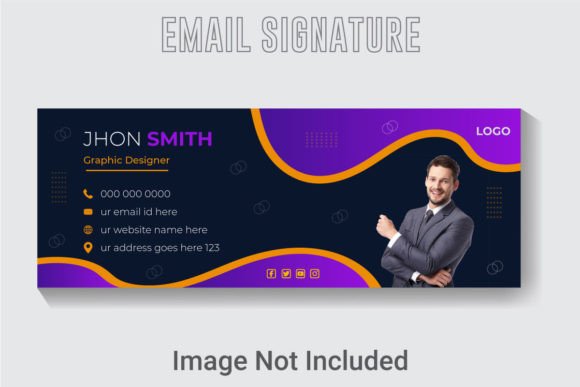
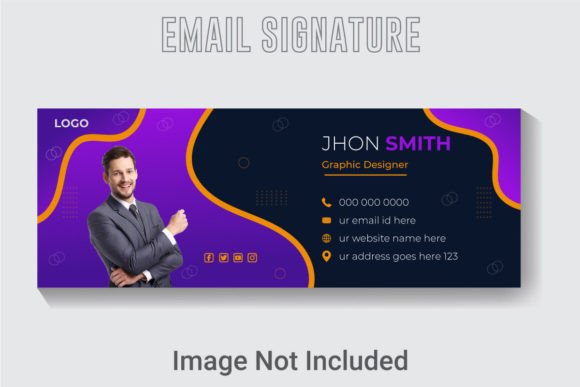
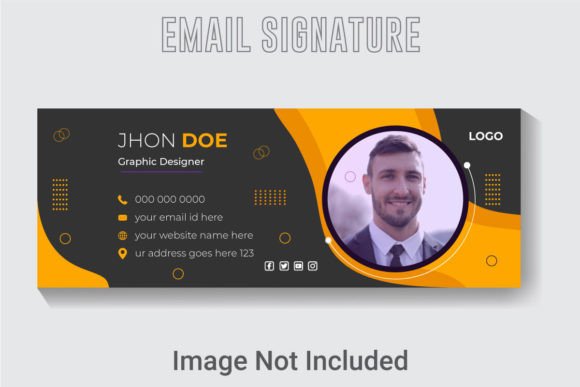
This particular design comes as a fully editable package: a single Ai file, an EPS file, and a high-resolution JPG. The canvas is set at 851 by 315 pixels, RGB color mode, and 300 DPI resolution. Those specs mean it looks sharp on Retina screens, prints cleanly if you ever need a physical version, and slots perfectly into most email client signature sections without awkward cropping. Everything is built in Adobe Illustrator CC with free fonts, so you are not locked into expensive typefaces. The layers are well organized, the text is live, and colors are fully adjustable. You can open it, change the name, swap a logo, tweak a color, and be done in under ten minutes.
Why Bother With a Custom Signature?
Let's be honest about what a signature really does. It is functional first—it tells people your name, title, phone number, website, and maybe a social link. But beyond that, it is a branding touchpoint. Every email you send reinforces how people perceive you. A sloppy, mismatched signature with clashing fonts and a pixelated logo suggests carelessness. A polished, consistent one suggests professionalism and attention to detail.
For entrepreneurs and freelancers, this matters even more. You are your own marketing department. Your email signature may be the only branded asset someone sees before deciding to reply, click a link, or book a call. When you use a consistent template across your entire team or personal accounts, you create a cohesive identity that people recognize over time.
Educators and bloggers also benefit. A teacher emailing parents or students can include essential links like a syllabus page, office hours scheduler, or a course portal. A blogger can direct readers to the latest post, a free download, or a YouTube channel. The signature becomes a silent promoter that works 24/7 without any extra effort.
What Makes This Template Stand Out
Not all email signature templates are created equal. Many are rigid, low-resolution, or formatted for outdated email clients. This one addresses the common pain points. Here is what you get out of the box:
- 851x315 pixel canvas – That size fits the standard email signature width used by most clients like Gmail, Outlook, Apple Mail, and Thunderbird. It is wide enough to include a logo, name, title, contact details, and a small graphic or icon without looking cramped.
- 300 DPI resolution – This ensures crisp rendering on high-density displays. If you export for print or need a sharp preview, the quality holds up.
- RGB color mode – Designed for screens first. No weird color shifts when viewed on a monitor or mobile device.
- Well organized layers – The Ai file groups elements logically. You can hide, lock, or edit each component without accidentally moving something else. If you have ever fought with a messy Illustrator file, you will appreciate this.
- Free fonts used – No need to purchase or hunt down licenses. The fonts are free for commercial use, which simplifies deployment.
- AI text, fonts, and colors fully editable – Nothing is flattened. You can type new text directly, change the font family, and adjust the color palette to match your brand guidelines.
- Three file formats included – Ai for native editing, EPS for compatibility with other vector software, and JPG for quick preview or one-off use.
- Compatible with Adobe Illustrator CC (latest version) – If you have access to Illustrator, you are ready to go. The template uses standard tools and no obscure plugins.
These qualities matter because they remove friction. You do not need to be a design expert to produce a professional result. You just need to open the file, make a few edits, and export.
Practical Applications Across Different Contexts
The versatility of this template is one of its strongest points. Let's walk through a few realistic scenarios where it adds tangible value.
For Business Professionals and Corporate Teams
Imagine you work in sales or account management. You send dozens of proposals and follow-ups each week. A signature that includes your direct line, a calendar booking link, and a company logo reassures recipients that you are legitimate and easy to reach. If your team standardizes on this template with consistent colors and fonts, every employee becomes a walking brand ambassador. Prospects notice the cohesion. It signals that your company is organized and detail-oriented.
For Freelancers and Creative Entrepreneurs
As a freelance designer, writer, or photographer, your email signature can double as a mini portfolio. Drop in a small thumbnail of recent work or a link to your best project. Include your Instagram handle if visual work is your focus. The template's 851x315 layout gives you enough room to add a subtle visual element without overwhelming the text. You want people to click through, not just admire the design.
For Educators and Academic Professionals
Professors, teachers, and administrators often communicate with students, parents, and colleagues. A signature can include office hours, a link to the course syllabus, a Zoom room ID, or a university crest. Having a clean, consistent signature saves time and reduces confusion. Students know exactly where to find the information they need without digging through email threads.
For Marketers and Content Creators
If you run a newsletter, blog, or social media channel, your email signature is a promotional tool. Link to your latest article, your YouTube channel, or a lead magnet. Every email you send to a subscriber or collaborator becomes an opportunity to drive traffic. The key is to keep it subtle—too many links feel spammy. With this template, you can strategically place one or two calls to action that align with your current goals.
For Small Business Owners and Nonprofits
Small teams often wear many hats. A unified email signature makes the team look bigger and more professional than it may be. Nonprofits can include a donation link or a volunteer signup. Local businesses can add a Google Maps link or a Yelp page. The template's editable fields make it easy to update information as seasons or campaigns change.
Usability and Efficiency Gains
One of the biggest hidden benefits of using a proper template is the time it saves. Instead of manually typing your contact details into every new email client or copying and pasting from a plain text file, you create a signature once and set it as default. That might save only a few seconds per email, but multiply that by hundreds of messages a month, and the savings add up. You also eliminate typos and outdated information. If your phone number changes, you update the template and re-upload it. Consistency is automatic.
From a user experience perspective, a well-designed signature reduces friction for the recipient. Contact details are easy to find and scan. Links are clearly labeled. There is no clutter. You come across as someone who respects the recipient's time and attention. That builds trust.
Another efficiency gain comes from the layered organization. If you need to create multiple variations—say, one version for internal communication and one for external clients—you can duplicate the file and adjust colors or fields without starting from scratch. The structure supports rapid iteration.
What to Look For When Choosing or Implementing a Signature Template
Before you download and deploy, consider a few practical factors. First, test the rendering in different email clients. Gmail and Outlook can behave differently when it comes to image handling, link formatting, and spacing. This template's dimensions and resolution are optimized for mainstream clients, but always send a test email to yourself and a colleague to confirm it looks right.
Second, keep the design clean. Just because you can add multiple social icons, a photo, a logo, and a tagline does not mean you should. Aim for two or three contact methods at most. Too many options dilute the impact. Use the template's organization to prioritize the most important links.
Third, consider mobile. A large proportion of emails are read on phones. The 851-pixel width scales reasonably well, but check how it wraps or shrinks on smaller screens. Most modern email clients will resize images proportionally, but text-heavy signatures can become unreadable. Use large enough fonts and avoid tiny icons.
Fourth, if you work with a team, establish a standard. Use the same Ai file as a master, define brand colors and fonts, and distribute the EPS or JPG as needed. This ensures everyone's signature aligns without micromanaging.
Final Thoughts on Making the Most of This Template
An email signature may seem like a small detail, but details accumulate. Over time, the impression left by a clean, professional signature outweighs the few minutes it takes to set it up. This template gives you a solid foundation without locking you into a rigid design. The fact that it uses free fonts, comes in widely compatible formats, and is fully editable means you can adapt it as your brand evolves.
If you have Photoshop experience, the layered Ai file will feel intuitive. If you are new to Illustrator, the organized structure and clear naming help you learn by doing. You can experiment with color variations, swap in your own logo, or adjust the layout to fit additional fields like a pronouns line or a multilingual tagline.
Ultimately, the goal is not just to have a signature—it is to have a signature that works for you. One that saves time, reinforces your identity, and gives recipients a clear, effortless way to connect with you. That is what a well-made Email Signature Design Template delivers. Open the files, make them your own, and let your emails do a little extra work every time you hit send.