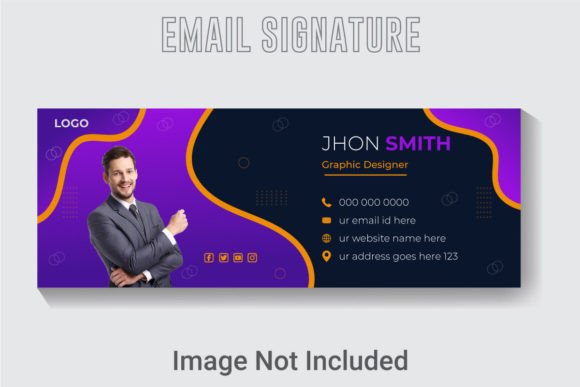
Creative Email Signature Template for Modern Professionals
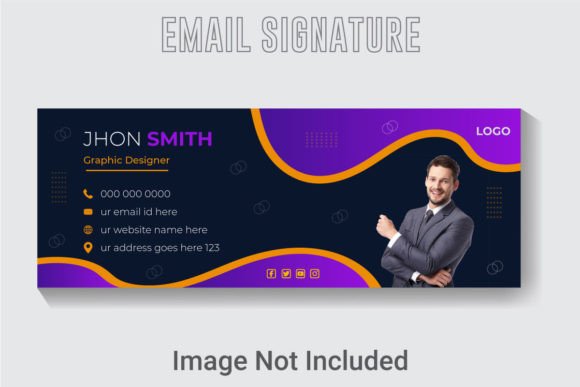
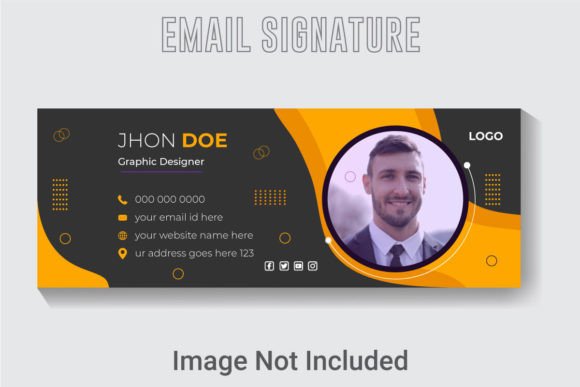
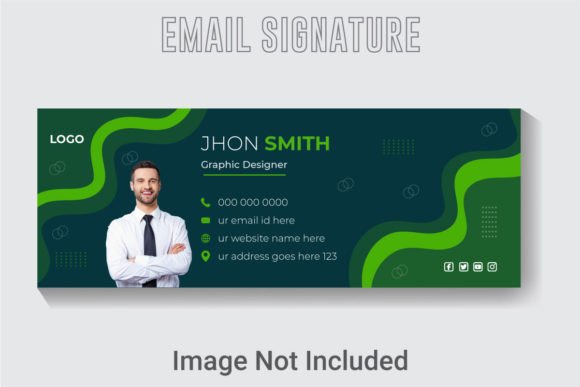
Your email signature does more than just sign off a message. It is a small but persistent piece of digital real estate that accompanies every note you send. For a freelancer, it might be the quiet nudge that leads a client to a portfolio. For a business owner, it is a daily reinforcement of brand identity. For a marketer, it is an untapped channel for a subtle call to action. The Creative Email Signature Template offers a structured, high-resolution foundation designed to make that final impression count.
More Than Just a Name: Why Your Signature Matters
Think about the last time you received an email from a new contact. What did the bottom of their message look like? A clean, well-designed signature builds subconscious trust and credibility. It signals that you pay attention to details. A messy or outdated signature, or none at all, can feel like a missed opportunity. This template provides a cohesive visual package that works across different email clients, ensuring your contact details, social links, or portfolio URL are presented with clarity and purpose.
The value of this asset shifts depending on who you are. A creator sees it as a branding tool. An entrepreneur sees it as a cost-effective marketing space. An educator sees it as a professional courtesy. Understanding how you intend to use it is the first step in getting the most out of a well-designed template.
Inside the Design Kit: Features That Solve Real Problems
This particular template comes as a well-layered Adobe Illustrator file (Ai), an EPS, and a high-quality JPG. The 851x315 pixel resolution is widely considered a standard for email banners, striking a balance between being visually prominent and not overwhelming the message body. It is set to 300 DPI and RGB color space, which means it is optimized for digital screens, ensuring your brand colors remain vibrant and sharp without looking pixelated.
The inclusion of multiple file types is a practical feature worth examining closely:
- The Ai File (Adobe Illustrator CC): This is where flexibility lives. Because the template is well organized and layered, you can easily adjust text, swap colors, move design elements, or replace icons. The template specifically utilizes free fonts, which means you can edit everything immediately without hunting for expensive typefaces.
- The EPS File: This provides a robust fallback for older software or different vector editing programs. It ensures your design remains editable and scalable even if you switch creative tools down the road.
- The JPG File: This is your plug-and-play option. If you do not use design software, you can simply add this ready-made banner to your email settings. It offers a professional look without requiring any technical design skills.
For the Beginner or Hobbyist
If your goal is simply to have a polished, professional signature without spending hours learning design software, the JPG file is your direct path. You can add it to Gmail, Outlook, or Apple Mail in minutes. The pre-designed layout ensures your name, title, and contact information are displayed in a balanced, attractive format. You gain a credible digital presence without the steep learning curve.
For the Freelancer or Entrepreneur
Your brand identity is one of your most valuable assets. The layered Ai file allows you to infuse your specific brand colors, adjust the layout to highlight your primary service, or add a unique link to your booking calendar. The template saves you hours of starting from scratch, giving you a refined base that you can adapt as your brand evolves. The 300 DPI resolution means your signature will look crisp on retina displays, projecting a high-quality image to every potential client.
For the Marketer or Content Creator
Every email you send is a touchpoint. The 851x315 pixel banner space is ideal for promoting a lead magnet, a new YouTube video, or an upcoming webinar. Because the template is editable, you can swap out calls to action seasonally. You can also add tracking parameters to the links in your signature to measure click-through rates, turning a simple sign-off into a measurable marketing channel. The clean, uncluttered layout of the template ensures your promotional element stands out without looking spammy.
For the Corporate Professional or Educator
Consistency and clarity are paramount. A uniform, well-structured signature across a team or department builds institutional credibility. This template provides a balanced layout for your name, credentials, department, and direct contact lines. The RGB color space guarantees that the colors you choose in Illustrator will look accurate on the recipient's screen, which is crucial for maintaining strict brand standards.
Evaluating Priorities: What Matters Most for Different Goals
Choosing the right template involves matching its strengths to your specific needs. Consider how these priorities align with your own objectives:
- Ease of Use: If editing vector files sounds intimidating, the included JPG removes all barriers. You upload and go. This prioritizes speed and simplicity, perfect for busy professionals or those new to digital branding.
- Creative Control: If you need a design that exactly mirrors your visual identity, the well-layered Ai file is indispensable. You can rearrange layers, change gradients, and adjust typography with precision. This prioritizes flexibility and originality.
- Technical Quality and Longevity: The 300 DPI resolution and RGB color profile ensure your signature looks excellent on modern screens. The inclusion of both Ai and EPS formats provides peace of mind against software obsolescence. This prioritizes reliability and long-term value.
- Cost Efficiency: Hiring a designer for a custom email banner can be expensive. A template like this provides a high-quality, professionally structured design at a fraction of the cost. The free fonts used eliminate hidden expenses. This prioritizes budget without sacrificing presentation.
Getting Started: Practical Implementation Tips
Once you have chosen your preferred file format, a few steps will ensure your new signature works effectively across different devices. If you are using the JPG, test it by sending an email to yourself from both desktop and mobile to check the scaling. Most email clients will display a banner of this size well, but previewing it avoids surprises.
If you are editing the Ai file, work with a copy of the original to preserve the base layout. Adjust the text and colors first, then consider swapping out any icons or graphic elements to better suit your brand. When you export your final version for the web, use the "Save for Web" feature in Illustrator to keep the file size small while maintaining the vibrant RGB colors. A large image file can be stripped by some email providers or slow down load times.
Finally, consider the links you include. A minimalist signature often performs better than one overloaded with options. Choose your top two or three contact methods or social channels. A direct link to your website or portfolio, a LinkedIn profile, and perhaps a current call to action are usually enough to drive engagement without overwhelming the reader.
The Creative Email Signature Template is designed to bridge the gap between professional design standards and practical, everyday use. Whether you are sending a cold pitch, a client invoice, a team update, or a personal note, your signature is a consistent ambassador for your work. Making it clear, polished, and purposeful is a small investment in your overall professional presence. By understanding the tools provided in this kit and aligning them with your personal or business goals, you ensure that every email you send leaves the right lasting impression.